
From GitHub Copilot to Infrastructure as Code: Custom Agents
Welcome back to part two of my GitHub Copilot series. As mentioned in the first post, I'm staying in the Infrastructure as Code Lane, because that's where I spend most of my day, and it's where Copilot has genuinely changed how I work. This time we're moving beyond repository instructions and into the world of GitHub Copilot Custom Agents.
 Lukas Rottach
From Instructions to Agents
In my first post I walked through custom repository instructions. That single .github/copilot-instructions.md file where you hand Copilot the context of your project. Tech stack, naming conventions, guardrails, the do's and don'ts. It's the foundation that tells Copilot where it is and what rules apply across every interaction in the repo.
Custom Agents take a different angle. Instead of one file describing the whole project, you create dedicated agents with a specific role: a Security Reviewer, a DevOps Reviewer or a Documentation Writer. Each one stays sharply focused on its job, with its own toolset and its own scope of what it's allowed to do.
The two aren't competing, they're layered. Repository instructions give Copilot the map of your project. Custom Agents are the specialists you send into specific corners of that map, briefed for the task, equipped with only the tools they need, and free to go deep without getting distracted by everything else in the repo. That's the combination I've found genuinely useful, and the one I want to walk through in this post.
Creating Custom Agents
There's more than one way to spin up a Custom Agent. GitHub gives you a guided experience directly in Visual Studio Code, where a wizard walks you through naming the agent, picking its tools, and writing its instructions. If you'd rather skip the UI, you can author the agent as plain markdown yourself. Both paths produce the same result: a committed file in your repository that travels with the project.
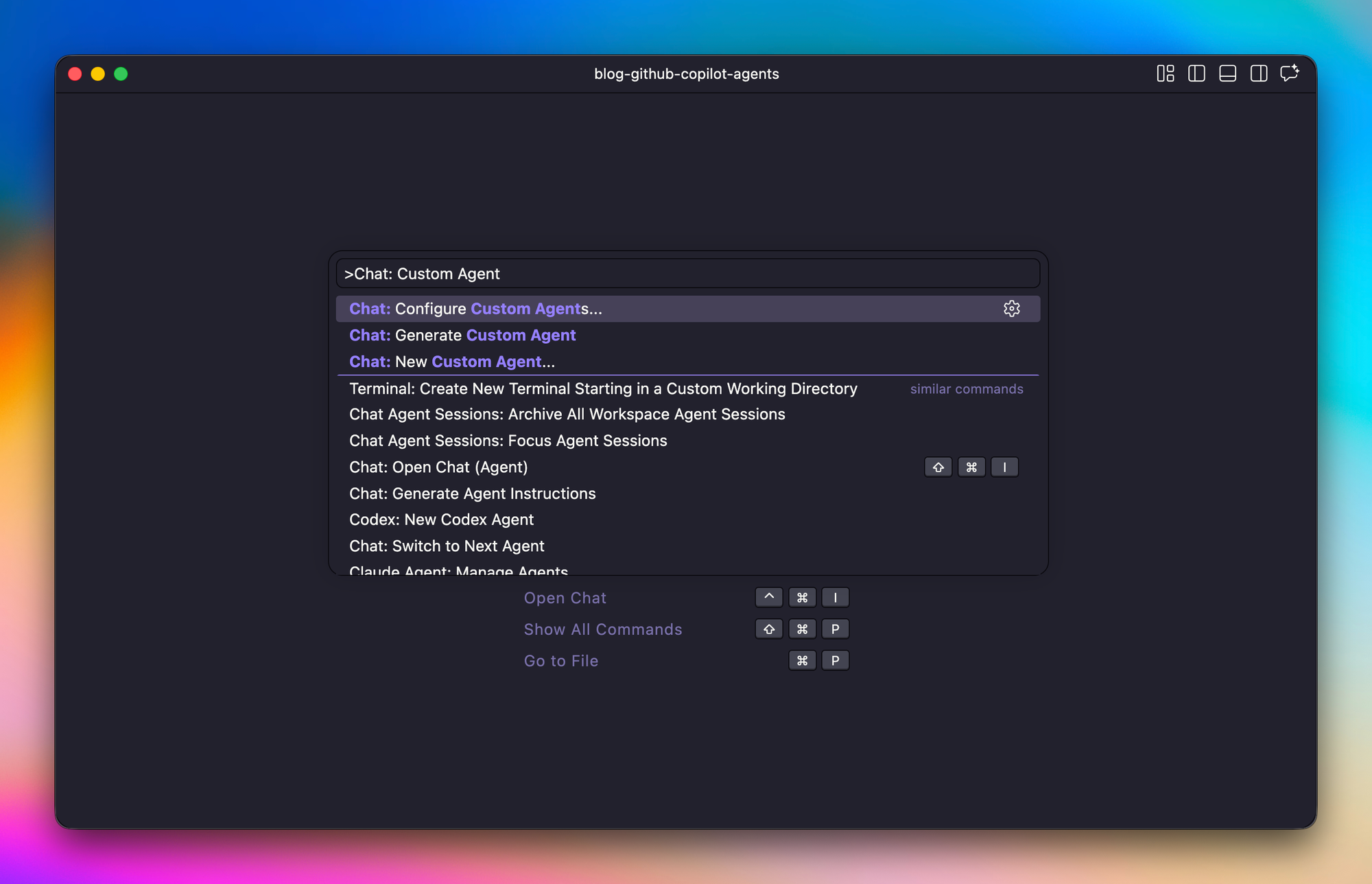
Custom Agents live in the .github/agents/ directory at the root of your repo. Each agent is a single markdown file using the .agent.md extension, and the part before .agent.md becomes the agent's identifier. So .github/agents/security-reviewer.agent.md gives you an agent called security-reviewer. GitHub only allows a-z, A-Z, 0-9, ., -, and _ in the filename, so I stick with lowercase and hyphens, short enough to type from memory, because you'll invoke them often.
Source: https://docs.github.com/en/copilot/how-tos/use-copilot-agents/cloud-agent/create-custom-agents
For this post I'll build two agents I am using quite often: a Security Reviewer and a DevOps Reviewer. That's also where I find Custom Agents most valuable. Not generating code from scratch but reviewing code I've already written or have been written by other coding agents. An additional, highly specialized pair of eyes watching what I'm doing, pointing out mistakes I missed, and challenging assumptions I made too quickly.
Configuring Custom Agents
A Custom Agents instruction is just a markdown file with a YAML frontmatter block on top. The frontmatter tells Copilot what the agent is, where it runs, and what it's allowed to do. The markdown body below tells Copilot how the agent should think and behave. Both parts matter. Cut corners on the frontmatter or the body, and the agent either gets ignored or wanders outside its lane.
To make this specific, here's the frontmatter of my Security Reviewer.
---
name: Security Reviewer
description: Microsoft Azure security and hardening expert. Reviews Terraform-defined Azure infrastructure for misconfigurations, secret handling issues, and deviations from Microsoft security baselines. Read-only; does not modify code.
model: Claude Sonnet 4.6
tools:
  - read
  - search
  - web
  - github/*
user-invocable: true
disable-model-invocation: false
metadata:
  owner: cloud-platform
  focus: security
  review-only: "true"
---
Every field earns its place. Here's what each one does.
| Field | Purpose |
|---|---|
name |
Display name shown in the Copilot Chat agent picker. |
description |
Short summary of the agent's purpose. Copilot also uses this to decide when to auto-invoke the agent, so write it like you're briefing a new colleague. |
model |
Which Copilot-supported model the agent runs on. Leave it unset to inherit the default, or pin it when the agent benefits from a particular style of reasoning. |
tools |
The capabilities the agent is allowed to use. Anything not listed here is off the table. For a review-only agent I stick with read, search, web, and github/*, so it can read files, grep the repo, fetch docs, and inspect PRs, but never edit or execute anything. |
user-invocable |
Whether you can pick the agent manually from the chat dropdown. Keep it true unless the agent is meant to be called only by other agents. |
disable-model-invocation |
Whether Copilot is allowed to route tasks to this agent automatically. false means it's fair game for auto-routing; true locks it behind manual selection. |
metadata |
Free-form key/value annotations. GitHub doesn't interpret them, they're there for your own tooling, dashboards, or governance scripts. |
A few things worth calling out. The description is doing double duty. It's what a human reads in the picker, and it's also what Copilot reads to decide whether to delegate a task to this agent. Vague descriptions produce vague routing.
The tools list is where the read-only contract actually gets enforced. No edit, no execute, no write-capable GitHub tools. And github/* specifically grants every read-only tool from GitHub's built-in MCP server, scoped to the source repository only. The agent can read files, issues, PRs, and commit history from this repo, but it can't reach any other repo, and it can't write anything back.
Instructions are key
The markdown body below the frontmatter is where the agent's real character takes shape. Structure it however fits the job, but for a reviewer three pieces tend to matter most: the content it should check, the research it's allowed to lean on, and the output format you expect back.
The content section is the actual checklist. For the Security Reviewer that means Azure-specific domains like identity and access, transport and public surface, data protection, secrets hygiene, and network posture. Each item is concrete: require minimum_tls_version to be 1.2 or higher, enforce enable_rbac_authorization = true on Key Vaults, disable public blob access on Storage Accounts. Generic bullets produce generic findings.
The research section lists the sources the agent is allowed to cite. I point mine at Microsoft Learn, the Azure security baselines, the Well-Architected Framework, and the AzureRM provider docs. This keeps the agent grounded in primary material instead of paraphrasing whatever it half-remembers from training data.
The output section locks in how findings come back: a table with severity, file and line, issue, recommendation, and source. A predictable shape makes the reviews easy to scan, and easy to act on when I'm ready to fix something.
The same rule applies here as in the frontmatter. The more precise you are, the better the outcome. Loose instructions produce loose reviews. If you want specific findings, backed by specific sources, in a specific format, you have to say so. The ten extra minutes you spend writing it down pay off every single time you invoke the agent.
Using Custom Agents
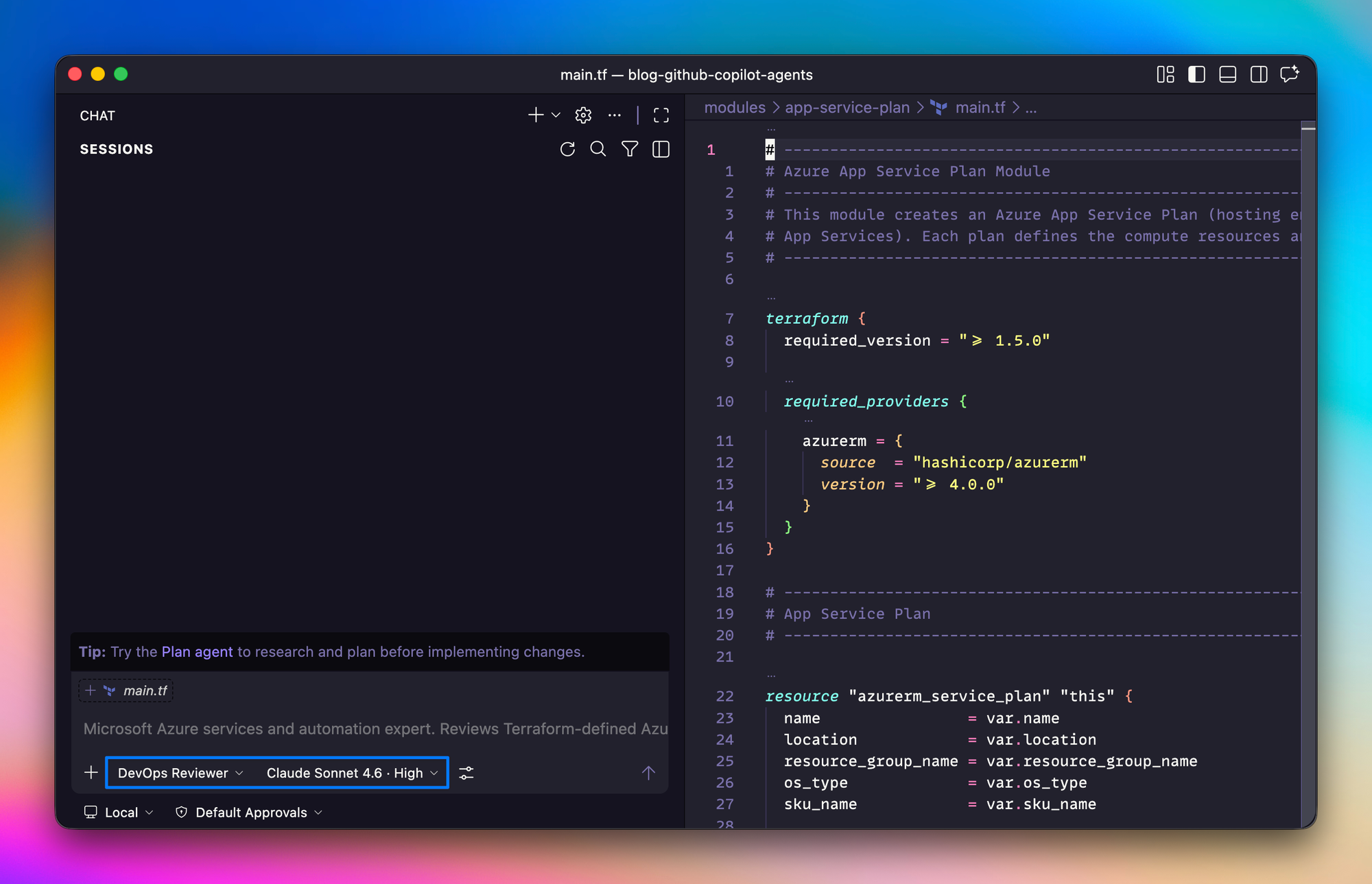
You can invoke Custom Agents in a few different ways, and the one I reach for most is straight from the Copilot Chat view in Visual Studio Code. Every agent you've defined in your repository shows up in the agent picker at the bottom of the chat. Pick one, and its description and configured model load automatically, ready to use.
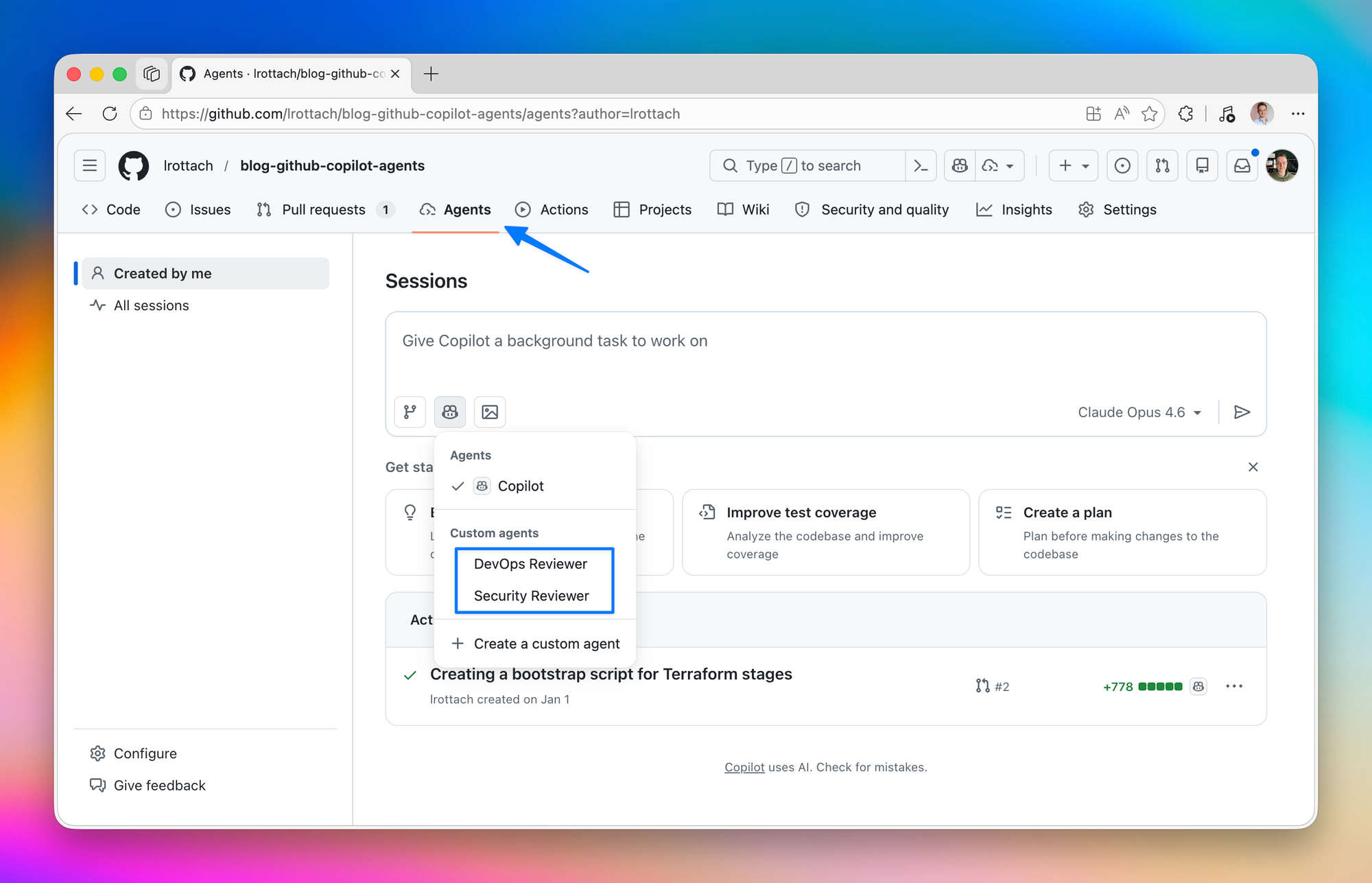
Another way is to directly call them from the Agents panel right on your repository. Pretty amazing.
Another use case is where the auto-invocation setting from the frontmatter really starts to pay off. For example, you ask Copilot to build a new Terraform module, say a storage account with customer-managed keys and a private endpoint. Once the implementation lands, Copilot can hand the result straight to your Security Reviewer and DevOps Reviewer without you swapping contexts or remembering to run them manually. Build, review, repeat, all in the same chat. Copilot does the typing, the agents double-check the work, and I spend my time on the decisions that actually need a human.
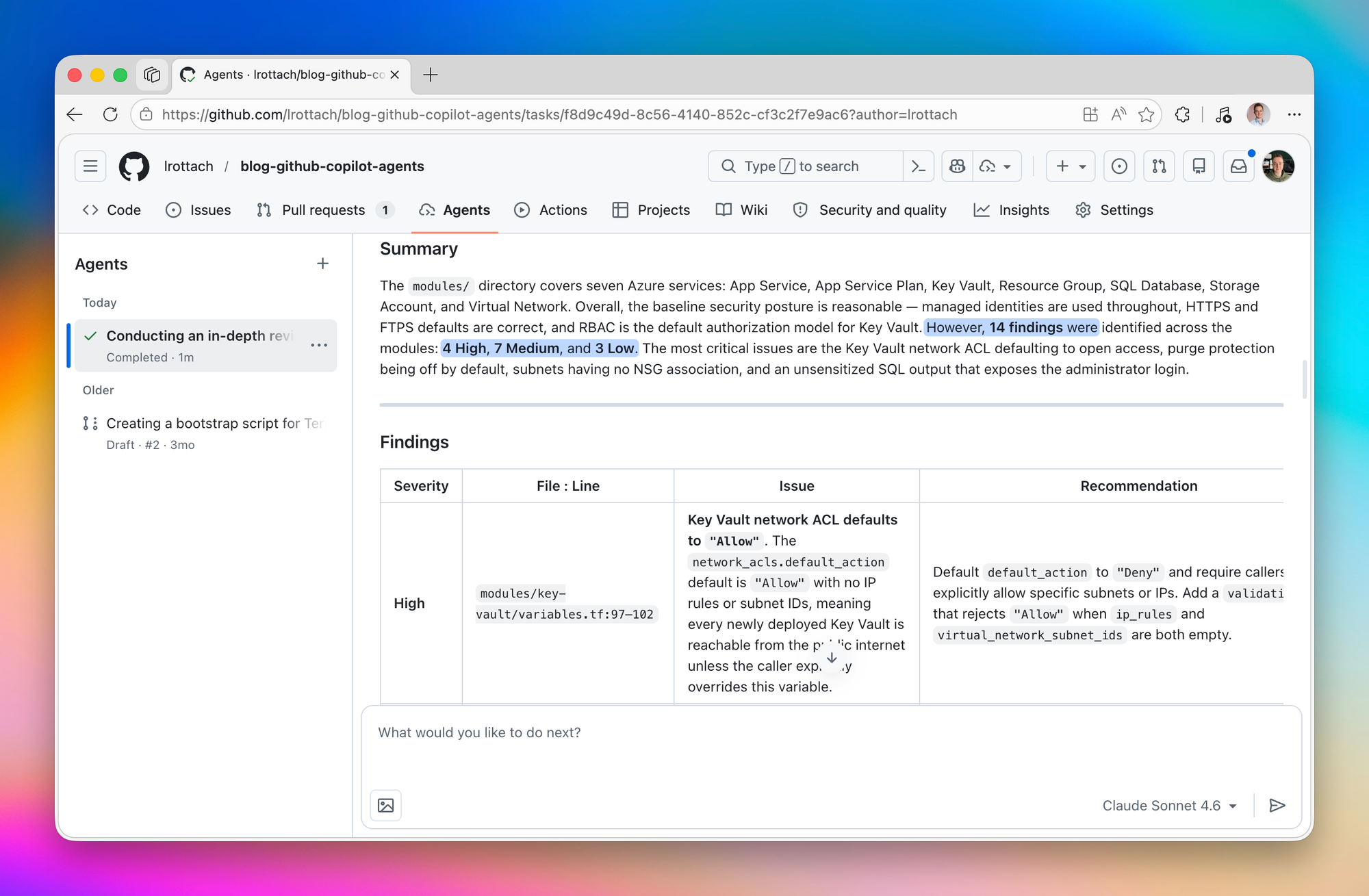
As soon as our Security Reviewer is done you get a beautiful summary with all the findings to work on to improve your projects quality.
Summary
Zooming out, Custom Agents turn Copilot into a small team of focused specialists. Repository instructions set the ground rules, and Custom Agents bring opinionated experts to specific corners of the work. Pair them, and Copilot stops feeling like a smart autocomplete and starts acting like a collaborator you can actually brief.
One thing that surprised me along the way: building a Custom Agent is itself a development process. You write the instructions, test them against real code, notice where the agent overreaches or misses the point, refactor, and test again. The first version is rarely the last. Treat it like any other piece of code in your repo and iterate until the output is something you'd actually trust.
The companion repo has both agents committed and ready to clone, so feel free to grab them and adapt them to your own stack: github.com/lrottach/blog-github-copilot-agents. More in the next post of the series.

Member discussion