
Unlocking Private Access to Azure Resources for Power Platform
Power Automate makes it easy to talk to almost anything. You drop a connector into your flow, set up the connection, and it just works. What's easy to forget is where those calls come from. Flows run on Microsoft's shared Power Platform infrastructure, and every connector call travels over the public internet to reach its target.
For SaaS services, that's fine. For your own Azure resources, it means they have to be reachable from the internet. The moment you disable public network access on a storage account or a Key Vault or database, your flows are locked out. And there is no built-in way around that.
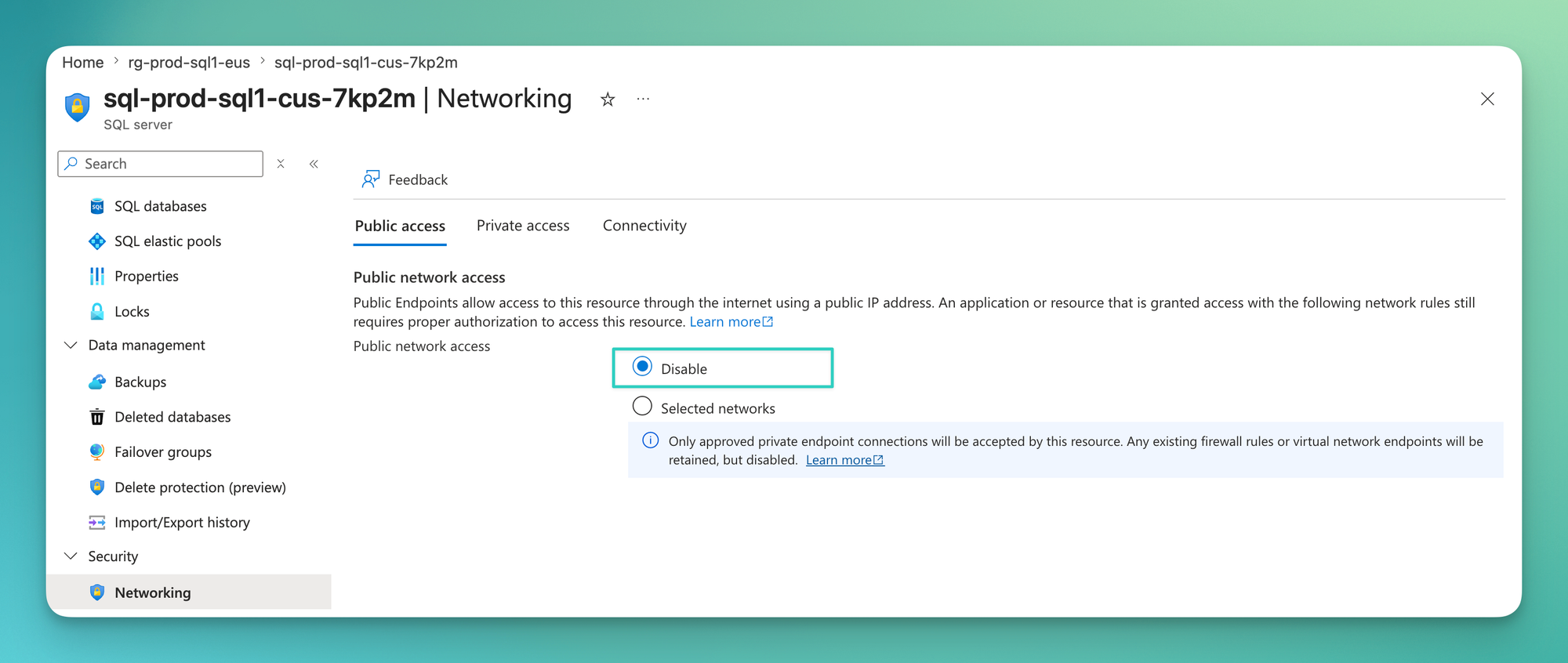
Virtual Network support for Power Platform closes exactly this gap. It lets your flows reach private resources through your own network, and that's what this post is about.
Why private access matters
Most Azure services are public by default. Create a storage account, a Key Vault, or a SQL database, and it comes with a public endpoint that anyone on the internet can reach. Authentication is the only thing standing between the outside world and your data.
For a quick test, that's fine. For enterprise workloads, it isn't. So we integrate these services into an Azure Virtual Network using private endpoints and disable public access entirely. The service is no longer visible from the internet, traffic stays inside the private network, and you decide who gets a path to it.
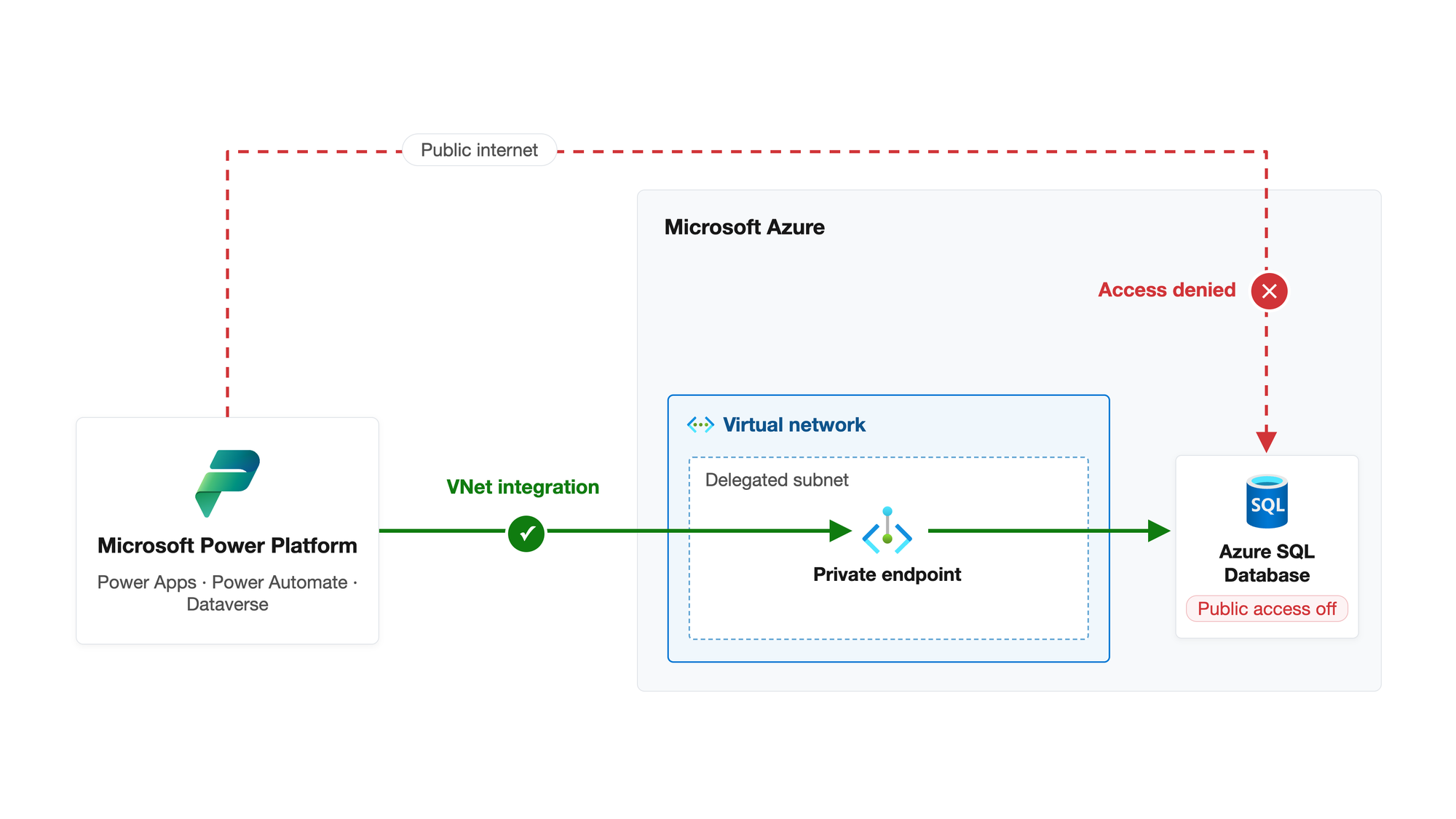
In my day-to-day work, this is the baseline, not the exception. But it comes with a consequence. Everything that needs to talk to these resources now needs a way into your network. And that includes Power Platform.
Architecture
On paper, the setup looks simple. Delegate a subnet, link it to your environment, done. In practice, the requirements have a bigger footprint than you might expect, and they pull your network team into the conversation early.
The first challenge is regions. A Power Platform environment doesn't live in a single Azure region. It lives in a Power Platform region, and that region maps to two Azure regions.
- Switzerland maps to
switzerlandnorthandswitzerlandwest - Europe maps to
westeuropeandnortheurope
Virtual Network support follows this mapping. You need two VNets with delegated subnets, one in each of the two Azure regions, even for non-production environments. The full mapping is documented in the supported regions list.
Why two? Resilience. Power Platform can run and fail over your environment across both regions of the pair. Since the containers executing your connectors and plug-ins are injected into your delegated subnet at runtime, that subnet has to exist in whichever region your environment is currently served from. If your workloads and address space are planned around a single region, this requirement alone can force you to rethink parts of your network design.
It's Always DNS
There's an old rule in networking. If something doesn't work, it's DNS. Private endpoints prove this rule on a regular basis, and this setup is no exception.
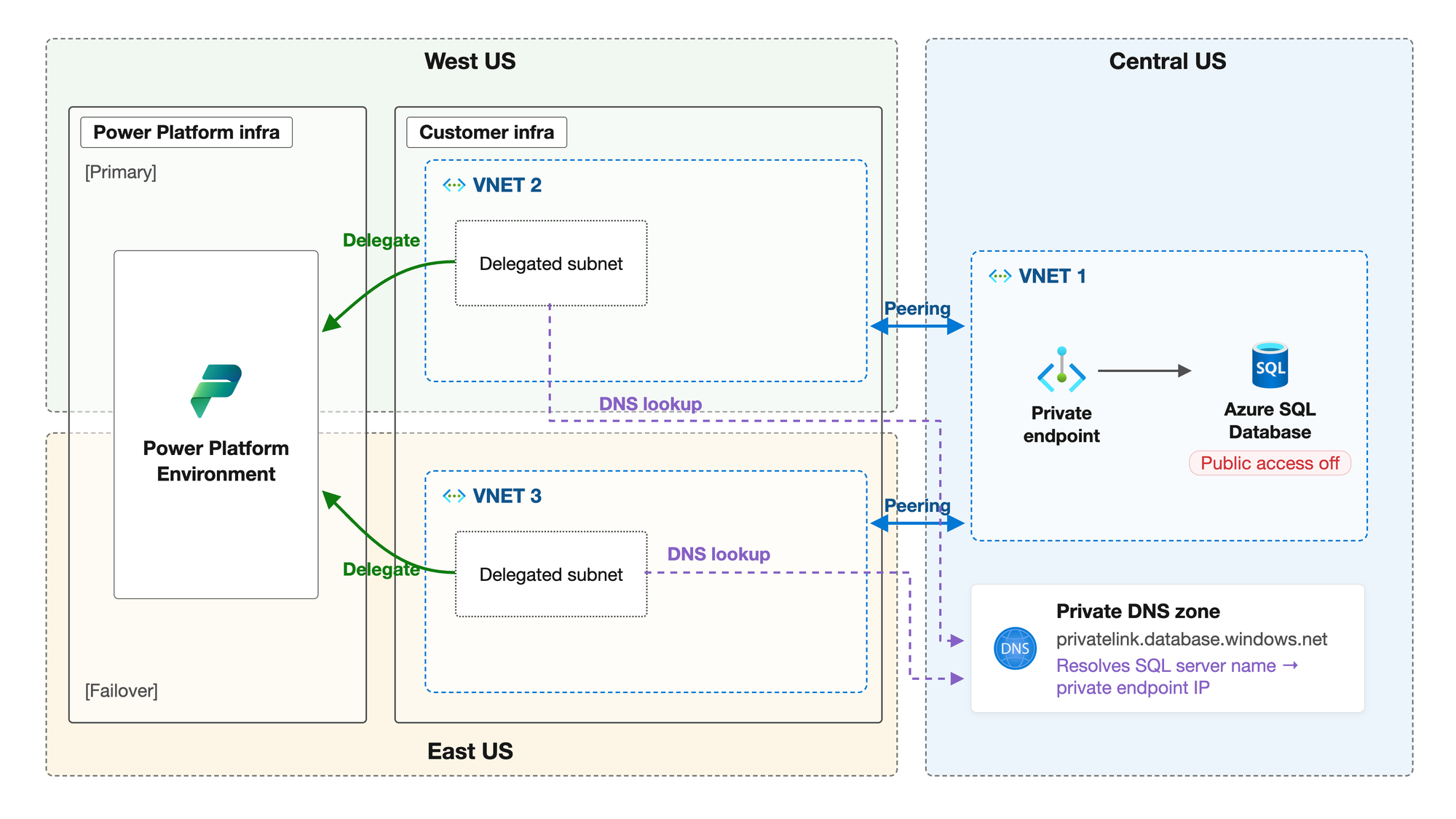
Here's why. A flow never connects to an Azure SQL database by IP address. It connects to a name like sql-blogdemo-prod.database.windows.net, and DNS decides where that name points. By default, it resolves to the public endpoint, exactly the one we disabled earlier. The private endpoint only comes into play when the name resolves to its private IP. That record lives in a private DNS zone, privatelink.database.windows.net in the case of Azure SQL.
A private DNS zone only answers queries from VNets that are linked to it. And this is where the whole construct has to play together. The containers running your flows use the DNS configuration of the delegated VNets to resolve every endpoint they call. So both delegated VNets, in both regions, must be able to resolve your private endpoints.
For my demo environment, I keep it simple. The private DNS zone is linked directly to both delegated VNets, so both regions resolve the private endpoint without any extra moving parts. In an enterprise platform, private DNS is usually a central concern, and there are other ways to plug the delegated VNets into your resolution chain. Which one fits depends on how your landing zone handles DNS.
Miss one of the two, and you've built a time bomb. Everything works while your environment runs in its primary region. The day Power Platform serves it from the other region, name resolution falls back to public IPs and your flows run straight into the locked door. Failures like this are painful to debug, precisely because the setup once worked.
Of course, there are a lot of other architectures available for that scenario. I highly recommend checking out the official documentation.
Setting things up
I promised not to turn this into a step-by-step guide, and I'll keep that promise. But it helps to know what a setup actually consists of. It boils down to three building blocks.
The network. Two VNets, one in each mapped Azure region, each with a subnet delegated to Microsoft.PowerPlatform/enterprisePolicies. Size the subnets with growth in mind. The address range is locked once the subnet is delegated, and both subnets must offer the same number of available IP addresses.
The enterprise policy. An Azure resource of type Microsoft.PowerPlatform/enterprisePolicies that references both delegated subnets. This is the contract between your Azure network and Power Platform, and it lives in your subscription like any other resource.
The environment link. Finally, you assign the enterprise policy to your Managed Environment using the PowerShell module Microsoft provides. From that moment on, your connector and plug-in workloads run inside your delegated subnets and play by your network rules.
Enable-SubnetInjection command from the PowerShell module referenced in the guides below.That's the whole construct. Everything else, prerequisites, required roles, subnet sizing, and the exact deployment steps, is documented properly by Microsoft:
- Set up Virtual Network support for Power Platform
- Microsoft.PowerPlatform.EnterprisePolicies PowerShell module
- Enterprise policies ARM template reference
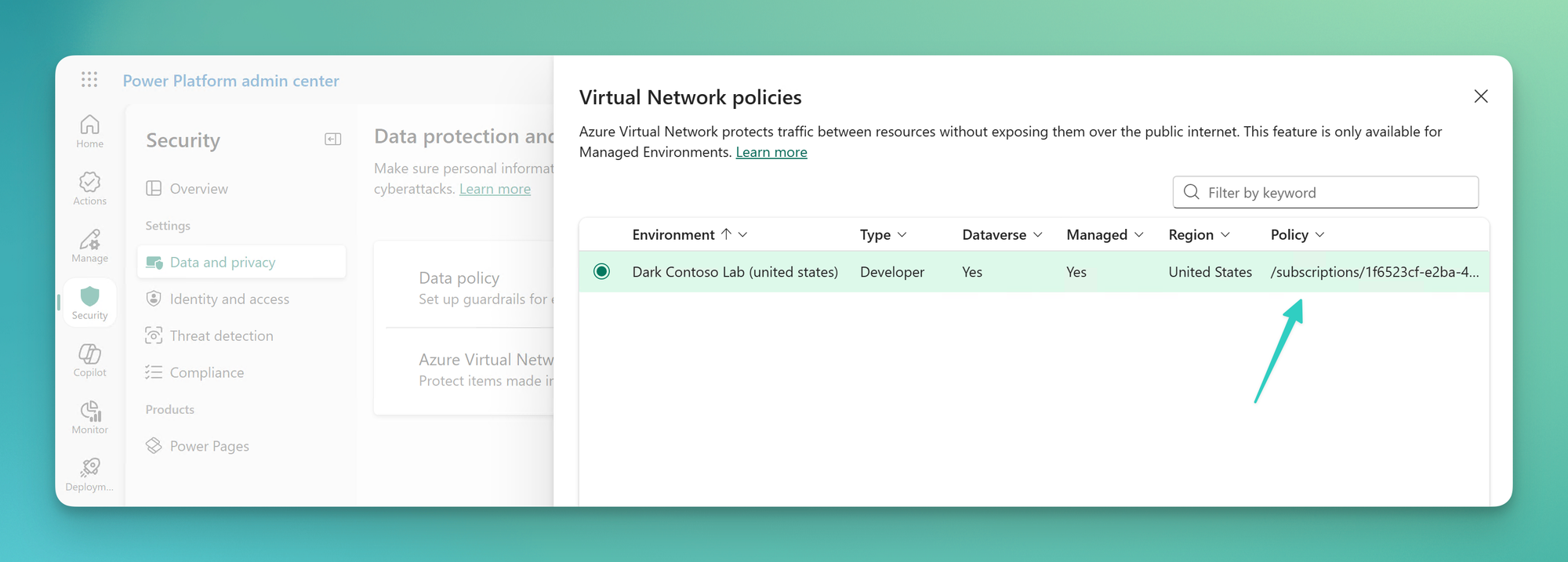
If everything went right, you should see a new Virtual Network Policy for your environment.
The Moment of Truth
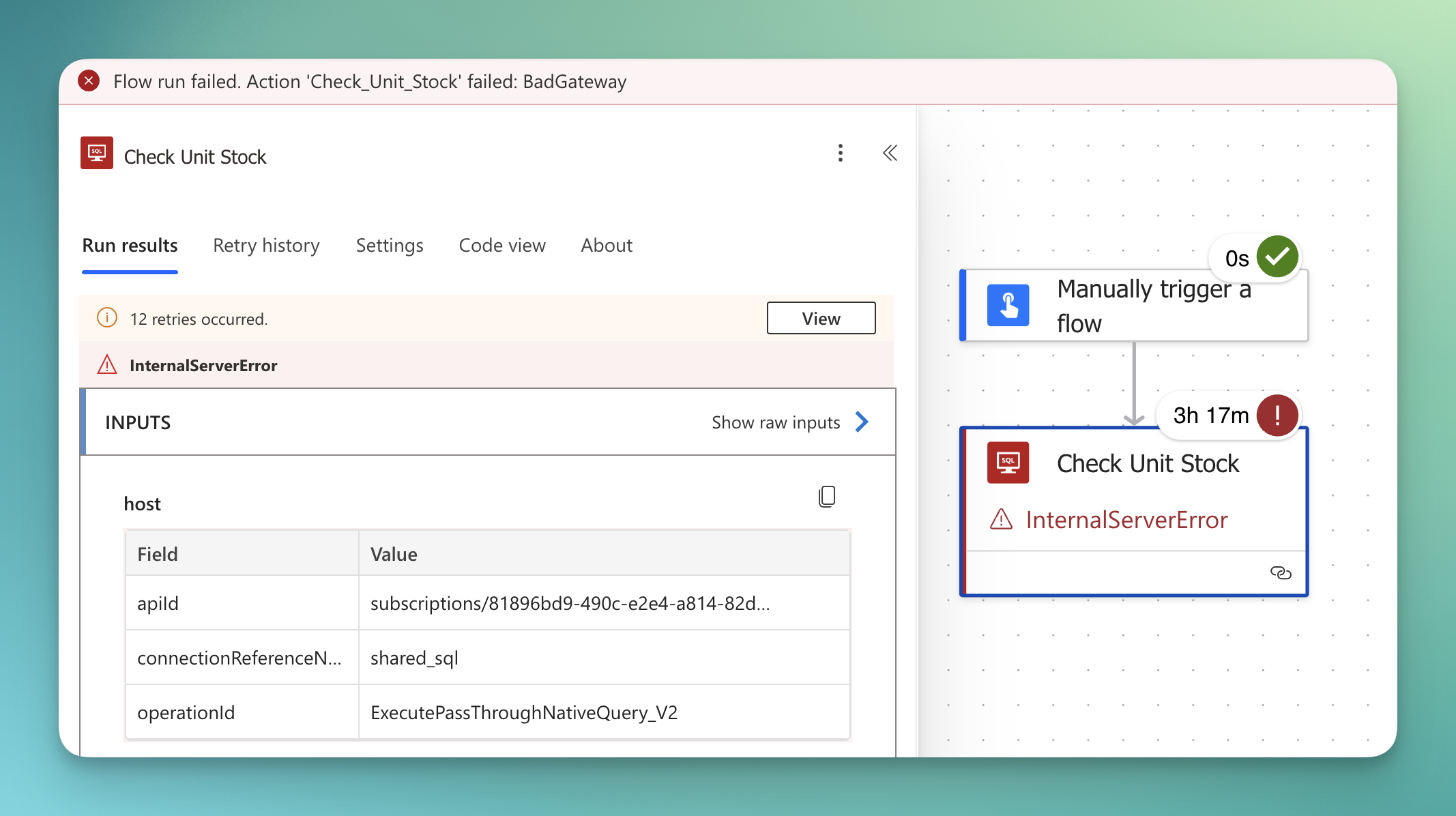
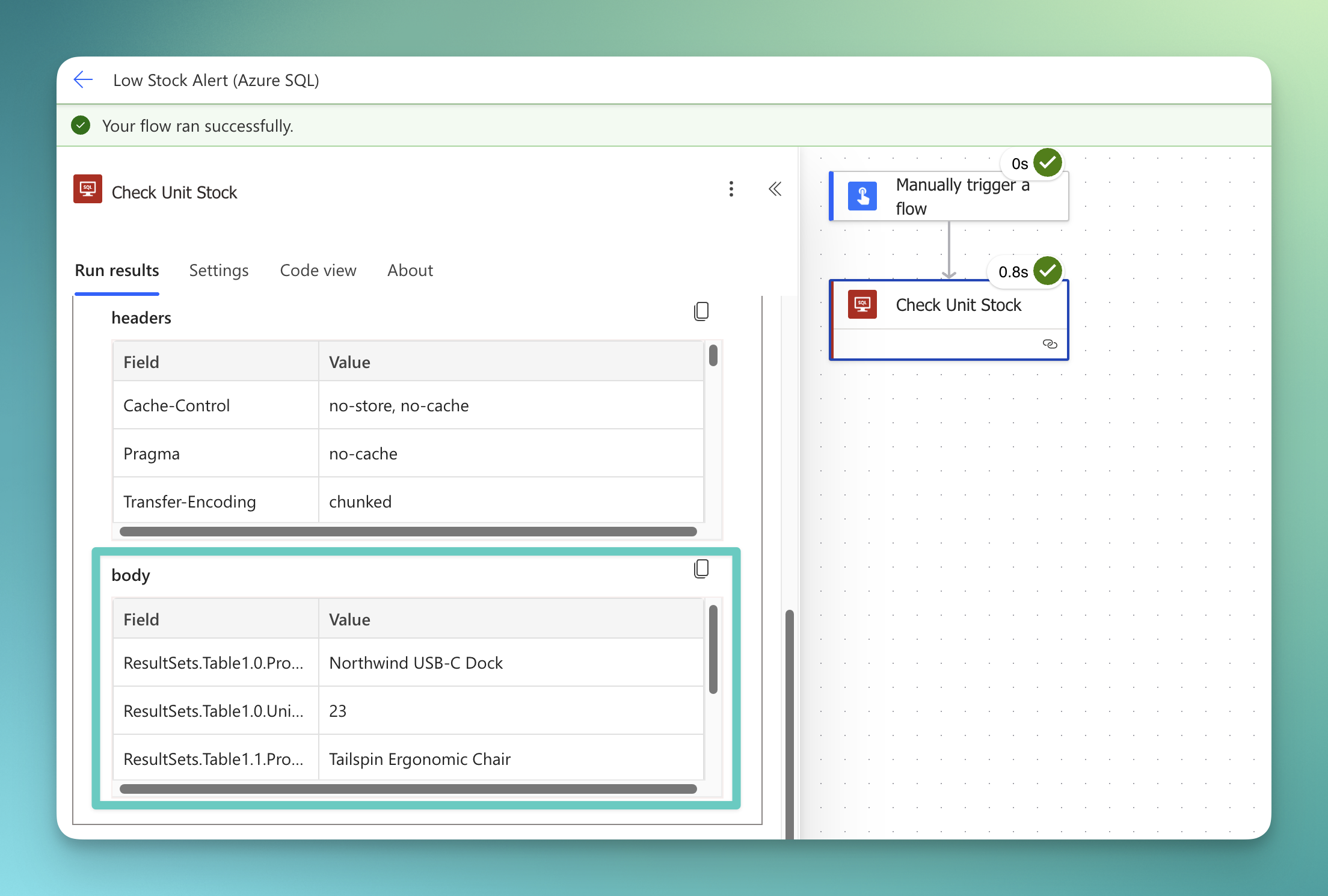
I've built a small sample workflow that talks to the private SQL database, and I want to show you two things. First, that the traffic really takes the private path when everything is wired up correctly. And second, what happens when the DNS setup isn't right, because a failing flow tells you just as much about this architecture as a working one.
As soon as your workflow tries to use the public route, it notices that public access on the Azure SQL Database is disabled. The error message points directly at that issue. Here's the interesting part of the connector's response, trimmed down to what matters:
{
  "statusCode": 500,
  "body": {
    "error": {
      "message": "BadGateway",
      "innerError": {
        "status": 500,
        "message": "SqlNativeExecutorException: Reason: An instance-specific error occurred while establishing a connection to SQL Server. Connection was denied because Deny Public Network Access is set to Yes."
      }
    }
  }
}
If everything is wired up correctly, the workflow runs without any issues.
Lessons Learned
In the real world, no customer has ever asked me whether they should connect Power Platform privately to their Azure resources. They ask how. Private connectivity is the expectation, and the challenge is delivering an integration that actually holds up in their environment. No one wants their production resources hanging around on the internet. With that in mind, two things stuck with me while building this. They're the same two things I'd tell any customer before they enable Virtual Network support.
Get your network design done first. In a demo environment, two VNets and a peering are set up in minutes. In an enterprise environment, the delegated subnets become part of your landing zone. They need address space that doesn't collide, routing that fits your topology, and controls that keep your organization's policies intact. This is the foundation that decides whether the integration communicates reliably and scales with adoption. And remember, the subnet range and the DNS configuration are locked once delegated, so retrofitting is expensive. Treat these subnets like any other workload in your network design, not like an afterthought.
Do your DNS homework. DNS is the real game changer in this whole construct. If your private endpoints don't resolve to their private IPs from both delegated VNets, every flow that depends on them fails. There is no partial success and no graceful fallback, just a locked door. Walk through the resolution chain below before you delegate anything, and you'll save yourself the debugging session I described earlier.

Goodbye
That's it for today. Bring your own network, treat DNS with the respect it demands, and your flows will happily talk to services the rest of the internet can't even see. And if a flow still fails after all of this, well, you already know. It's always DNS.


Member discussion